
🌐 Introduction
Modern businesses no longer rely on isolated systems. They demand connected, intelligent, and automated ecosystems that reduce manual effort and improve decision-making.
This is exactly where Dynamics 365 and the Power Platform come together.
When integrated properly, they enable organizations to:
- Automate end-to-end workflows
- Build low-code applications rapidly
- Unify customer and operational data
- Improve productivity across departments
In this guide, you’ll understand how integration works, why it matters, and how to implement it effectively.
🔥 What is Dynamics 365?
Dynamics 365 is Microsoft’s cloud-based suite of business applications covering:
- Sales & Customer Engagement
- Finance & Operations
- Supply Chain Management
- Customer Service
- Marketing Automation
It acts as the core system of record, storing structured business data.
⚡ What is Power Platform?
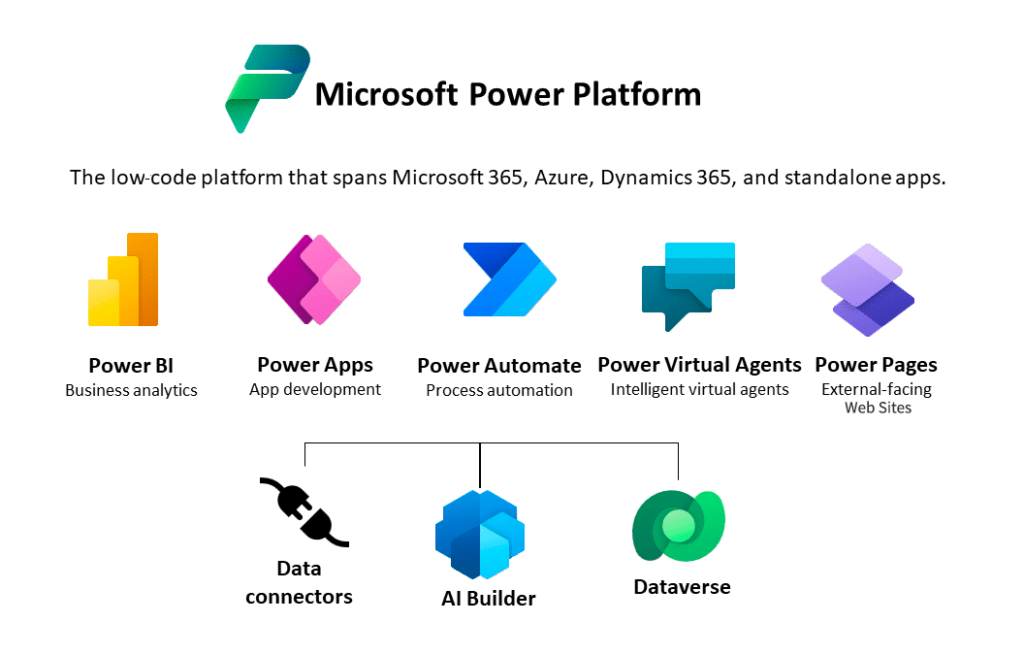
Power Platform is Microsoft’s low-code ecosystem consisting of:
- PowerApps → Build custom business applications
- PowerAutomate → Automate workflows
- PowerBI → Data analytics & visualization
- Microsoft Copilot Studio (Previously Power Virtual Agents) → Chatbots and AI assistants
It acts as the innovation layer on top of enterprise data systems.
🔗 Why Integrate Dynamics 365 with Power Platform?
Integration is not optional anymore—it is a strategic advantage.
1. Unified Data Layer (Dataverse)
Both systems share Microsoft Dataverse, enabling:
- Single source of truth
- Secure data storage
- Seamless data access across apps
2. Low-Code Rapid Development
Instead of traditional development cycles, teams can:
- Build apps in days instead of months
- Modify workflows without heavy coding
- Respond quickly to business changes
3. End-to-End Automation
Using Power Automate:
- Lead creation → Sales pipeline updates
- Invoice generation → ERP updates
- Customer support → Ticket escalation
Everything becomes connected.
4. AI-Driven Insights
With AI Builder and Power BI:
- Predict customer churn
- Forecast sales
- Optimize operations
🏗️ Architecture Overview
A typical integrated architecture looks like this:
Dynamics 365 (Core Data Layer)
⬇
Dataverse (Unified Data Model)
⬇
Power Apps (UI Layer)
⬇
Power Automate (Workflow Engine)
⬇
Power BI (Analytics Layer)
This layered architecture ensures scalability and maintainability.
🧠 Real-World Use Case Example
Scenario: Customer Onboarding Automation
- A lead is created in Dynamics 365 Sales
- Power Automate triggers onboarding workflow
- Power Apps generates onboarding checklist
- Customer data is stored in Dataverse
- Power BI dashboard tracks onboarding status
Result:
- 60% faster onboarding
- Reduced manual intervention
- Improved customer experience
🛠️ Key Integration Methods
1. Dataverse Integration (Recommended)
- Native integration
- Secure and scalable
- Real-time sync
2. APIs and Connectors
- REST APIs
- Standard connectors in Power Platform
- External system integration
3. Dual Write (Finance & Operations)
- Real-time data synchronization
- Bi-directional data flow
⚠️ Common Challenges
Even though integration is powerful, watch out for:
- Poor data modeling in Dataverse
- Overuse of Power Automate flows
- Lack of governance
- Security misconfiguration
📈 Best Practices
- Design with Dataverse-first approach
- Keep workflows modular
- Use environment strategy (Dev/Test/Prod)
- Monitor performance using Power Platform Admin Center
- Implement proper role-based security
🔮 Future of Dynamics 365 + Power Platform
The ecosystem is moving toward:
- AI-first automation using Copilot
- Deeper low-code/no-code adoption
- Industry-specific solutions
- Hyperautomation across enterprise systems
🧾 Conclusion
The integration between Dynamics 365 and Power Platform is no longer just a technical advantage—it is a business necessity.
Organizations that adopt this ecosystem gain:
- Faster innovation cycles
- Better decision-making
- Scalable automation
- Unified digital transformation
About The Author
