
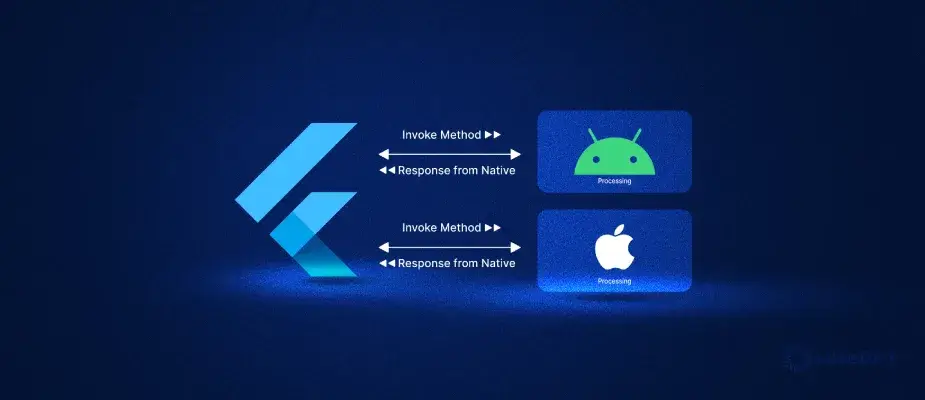
Flutter makes it easy to build beautiful cross-platform applications using a single codebase. However, there are situations where Flutter alone cannot access device-specific features or third-party native SDKs. This is where MethodChannel becomes one of the most important concepts in Flutter development.
In this guide, you’ll learn how to use MethodChannel in Flutter, understand where to use it, why it’s needed, how it works internally, and explore practical examples.
What is MethodChannel in Flutter?
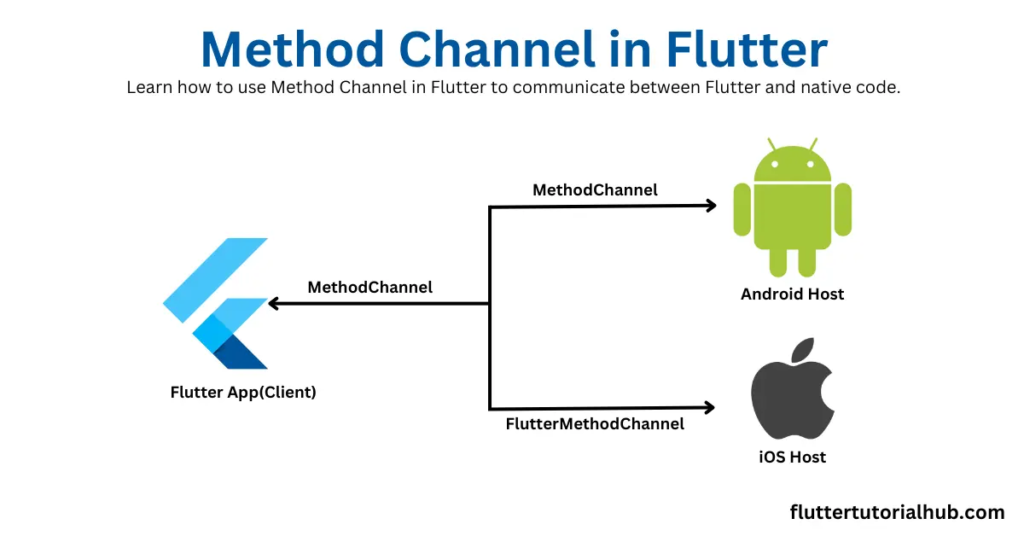
MethodChannel is Flutter’s communication bridge between Dart code and native platform code.
It allows your Flutter application to call methods written in:
- Kotlin
- Java
- Swift
- Objective-C
Using MethodChannel, Flutter can access platform-specific APIs that are unavailable through the Flutter framework.
How MethodChannel Works
The communication flow looks like this:
Flutter (Dart)
│
MethodChannel
│
Android (Kotlin/Java)
or
iOS (Swift/Objective-C)
│
Native Operating System
Flutter sends a request through the MethodChannel, the native platform executes the requested action, and then returns the result back to Flutter.
Why Use MethodChannel in Flutter?
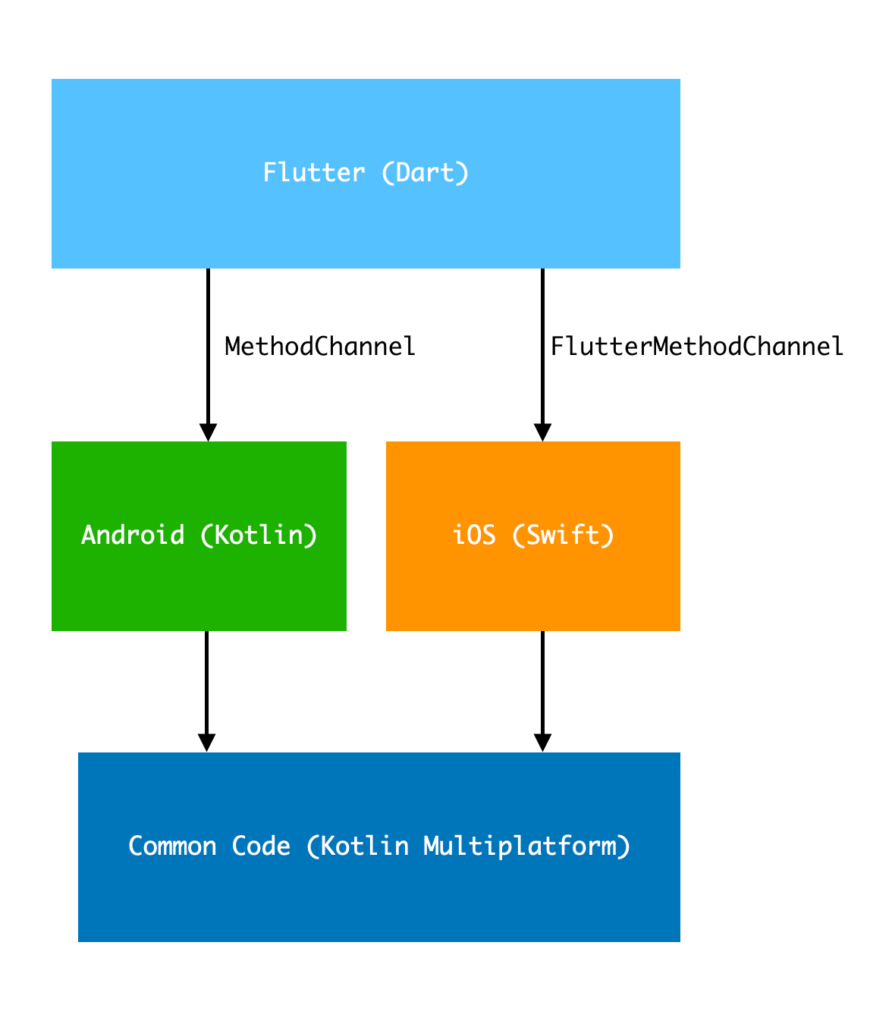
Although Flutter includes many plugins, not every native feature has an existing package. MethodChannel lets you bridge that gap.
Some common reasons include:
- Accessing native Android or iOS APIs.
- Integrating third-party SDKs that don’t have Flutter support.
- Improving performance with native implementations.
- Reusing existing Android or iOS code.
- Creating reusable Flutter plugins.
Without MethodChannel, Flutter cannot directly invoke native platform methods.
Where Should You Use MethodChannel?
MethodChannel is useful whenever Flutter needs native functionality.
Typical use cases include:
Camera APIs
Access advanced camera features that aren’t available in existing packages.
Bluetooth
Communicate with Bluetooth Low Energy (BLE) devices.
NFC
Read and write NFC tags using native platform APIs.
Biometrics
Authenticate users using Face ID or fingerprint sensors.
Payment SDKs
Integrate native payment providers such as Razorpay, Stripe, or PayPal SDKs.
Device Information
Retrieve battery level, device model, manufacturer, storage details, or system version.
File Management
Access platform-specific file systems and storage APIs.
Push Notifications
Implement advanced notification features beyond standard Flutter packages.
Enterprise SDKs
Many organisations provide only Android and iOS SDKs. MethodChannel enables Flutter apps to use them.
When Should You Avoid MethodChannel?
MethodChannel isn’t always necessary.
Avoid it when:
- A reliable Flutter package already solves the problem.
- Your feature can be implemented entirely in Dart.
- You don’t require platform-specific APIs.
Using existing packages reduces maintenance and simplifies development.
Creating a MethodChannel
Define a channel in Flutter:
import ‘package:flutter/services.dart’;
class DeviceService {
static const MethodChannel channel =
MethodChannel(‘com.example.device’);
Future getPlatformVersion() async {
return await channel.invokeMethod(‘getPlatformVersion’);
}
}
The channel name must match the one used in your native Android and iOS code.
Android Example (Kotlin)
Register the MethodChannel and handle incoming method calls.
class MainActivity : FlutterActivity() {
private val CHANNEL = "com.example.device"

override fun configureFlutterEngine(
    flutterEngine: FlutterEngine
) {

    MethodChannel(
        flutterEngine.dartExecutor.binaryMessenger,
        CHANNEL
    ).setMethodCallHandler { call, result ->

        when (call.method) {

            "getPlatformVersion" -> {
                result.success(
                    "Android ${Build.VERSION.RELEASE}"
                )
            }

            else -> result.notImplemented()

        }

    }

}
}
When Flutter invokes “getPlatformVersion”, Android returns the operating system version.
iOS Example (Swift)
Implement the same method for iOS.
public func handle(
_ call: FlutterMethodCall,
result: @escaping FlutterResult
) {
switch call.method {

case "getPlatformVersion":

    result("iOS \(UIDevice.current.systemVersion)")

default:

    result(FlutterMethodNotImplemented)

}
}
The Dart code remains the same while each platform provides its own implementation.
Calling Native Methods from Flutter
Invoke the method using the MethodChannel.
final version =
await DeviceService()
.getPlatformVersion();
print(version);
The correct native implementation is executed automatically based on the user’s device.
Passing Arguments to Native Code
MethodChannel can send parameters.
await channel.invokeMethod(
“showToast”,
{
“message”: “Hello Flutter”
},
);
Android retrieves the argument like this:
val message =
call.argument(“message”)
This makes it easy to pass structured data from Flutter to native code.
Returning Data to Flutter
Native code can return:
- Strings
- Integers
- Booleans
- Lists
- Maps
- JSON-like structures
For example:
{
“battery”: 87,
“charging”: true
}
Flutter can convert this response into a strongly typed model.
Handling Errors
Always handle failures gracefully.
Flutter:
try {
final result =
await channel.invokeMethod(“getData”);
} on PlatformException catch (e) {
print(e.message);
}
Android:
result.error(
“404”,
“Data not found”,
null
)
This approach keeps your application stable and easier to debug.
Real-World Example
Imagine you’re integrating a payment SDK that only provides Android and iOS libraries.
Without MethodChannel:
- Flutter cannot communicate with the SDK.
With MethodChannel:
- Flutter sends the payment request.
- Native Android or iOS launches the payment SDK.
- The SDK processes the payment.
- Native code returns the payment status.
- Flutter updates the user interface.
This pattern is common in production applications.
Best Practices
When working with MethodChannel:
- Use meaningful channel names.
- Keep business logic in Dart whenever possible.
- Minimise platform-specific code.
- Validate all incoming arguments.
- Return consistent response formats.
- Handle exceptions on both Flutter and native sides.
- Document every exposed method.
- Create reusable service classes.
- Consider wrapping MethodChannel logic inside a custom Flutter plugin for larger projects.
Common Mistakes
Developers often encounter these issues:
- Channel names don’t match between Flutter and native code.
- Calling methods before Flutter initialisation.
- Returning unsupported data types.
- Not handling “PlatformException”.
- Writing excessive business logic in native code.
- Forgetting to implement methods on both Android and iOS.
Avoiding these mistakes will save debugging time.
Conclusion
Understanding how to use MethodChannel in Flutter is essential when your application needs to communicate with native Android or iOS code. Whether you’re integrating a payment gateway, accessing advanced device features, or building your own Flutter plugin, MethodChannel provides a reliable bridge between Flutter and the underlying platform.
Use MethodChannel only when necessary, keep your Dart API clean, and isolate native code into well-structured modules. Following these practices will help you build scalable, maintainable, and production-ready Flutter applications.
About The Author
